My Purchases
View and manage all orders placed through your connected Vinted accounts.
Introduction
The Purchases page lists all orders placed through your connected Vinted accounts. Unlike attempts, it only shows purchases that succeeded and are tracked in Vinted.
Accessing the Purchases Page
Go to /purchases from the sidebar menu.
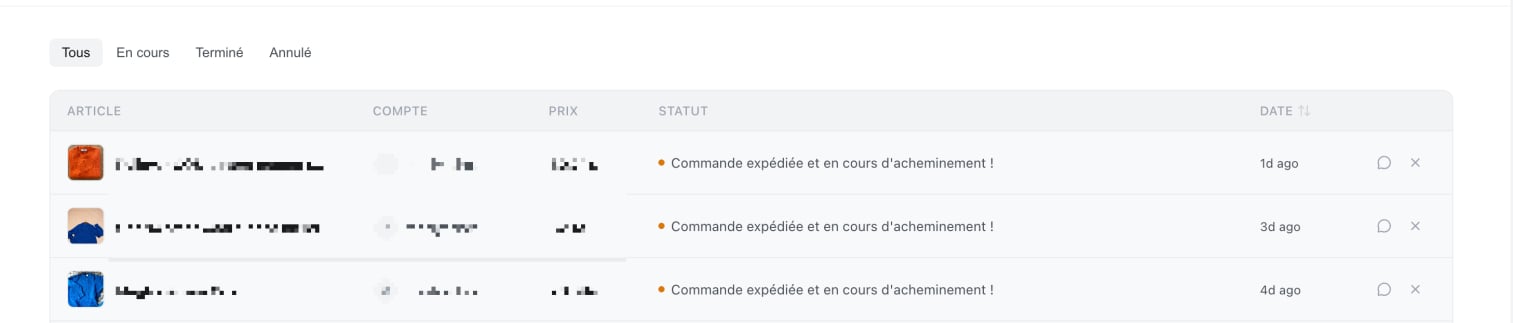
Understanding the Table
| Column | Description |
|---|---|
| Item | Photo and title of the purchased product |
| Account | Vinted account through which the purchase was made |
| Price | Price paid |
| Status | Current status of the order (see below) |
| Date | Date of the purchase |
| Actions | Messaging / order cancellation button |
Order Statuses
Each order displays a status that reflects its progress:
| Status | Meaning | Examples |
|---|---|---|
| active In Progress | The order is active and being processed | Awaiting shipment, shipped, delivered, awaiting confirmation |
| check Completed | The order was finalized successfully | Purchase completed and confirmed |
| cross Cancelled | The order was cancelled or failed | Buyer cancellation, payment failed |
The filter at the top of the table lets you display only orders with a specific status.
Opening Vinted Messaging
For each order, a message button allows you to directly open the conversation with the seller on Vinted in a new tab.
For orders still in progress, a close button allows you to request a cancellation.
- Click on close
- A confirmation is requested
- Confirm the cancellation
Warning: Cancellation is not always possible depending on the order's progress.
Viewing Full-Size Photos
Click on an item's thumbnail photo to view it in full screen. Click anywhere outside the image to close the view.