Adding a Vinted Account
Connect your Vinted accounts to enable automatic purchasing through Kops.
Introduction
Connect your Vinted accounts to start using Kops. The more active and well-configured accounts you have, the higher your chances of successful automatic purchases.
Accessing the Accounts Page
Go to /accounts from the menu.

Adding an Account
Click the "+ Add account" button at the top right.
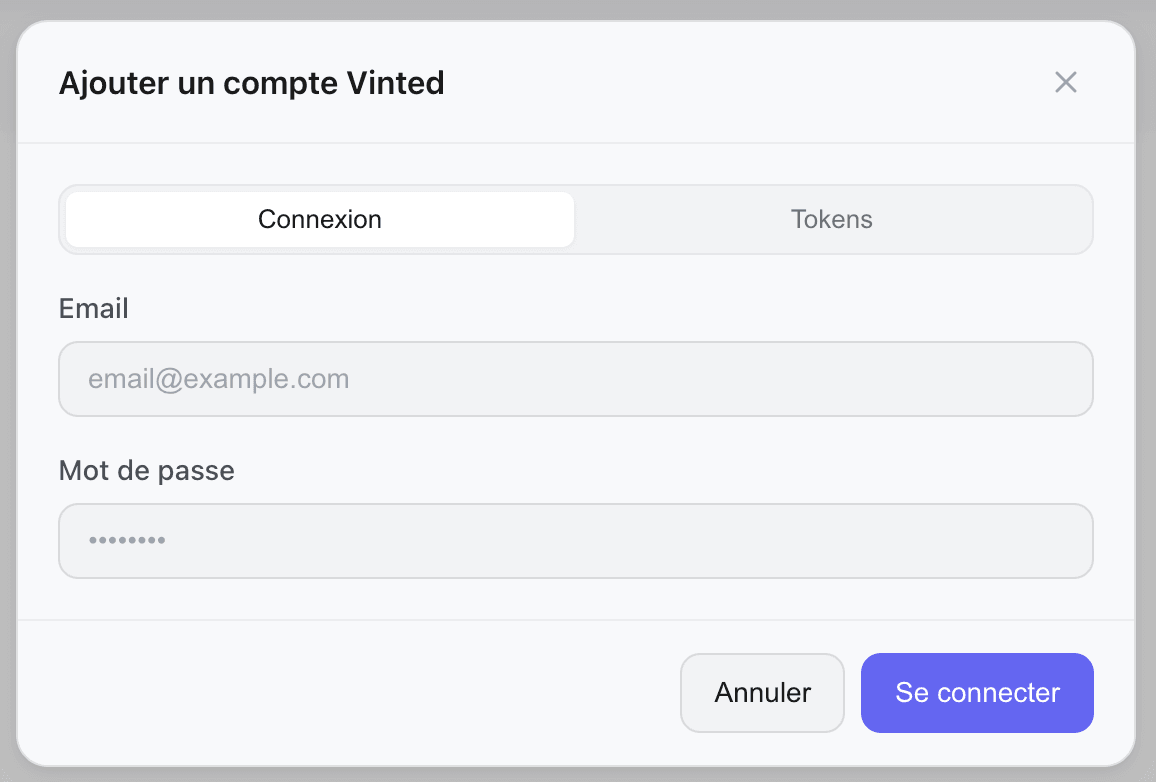
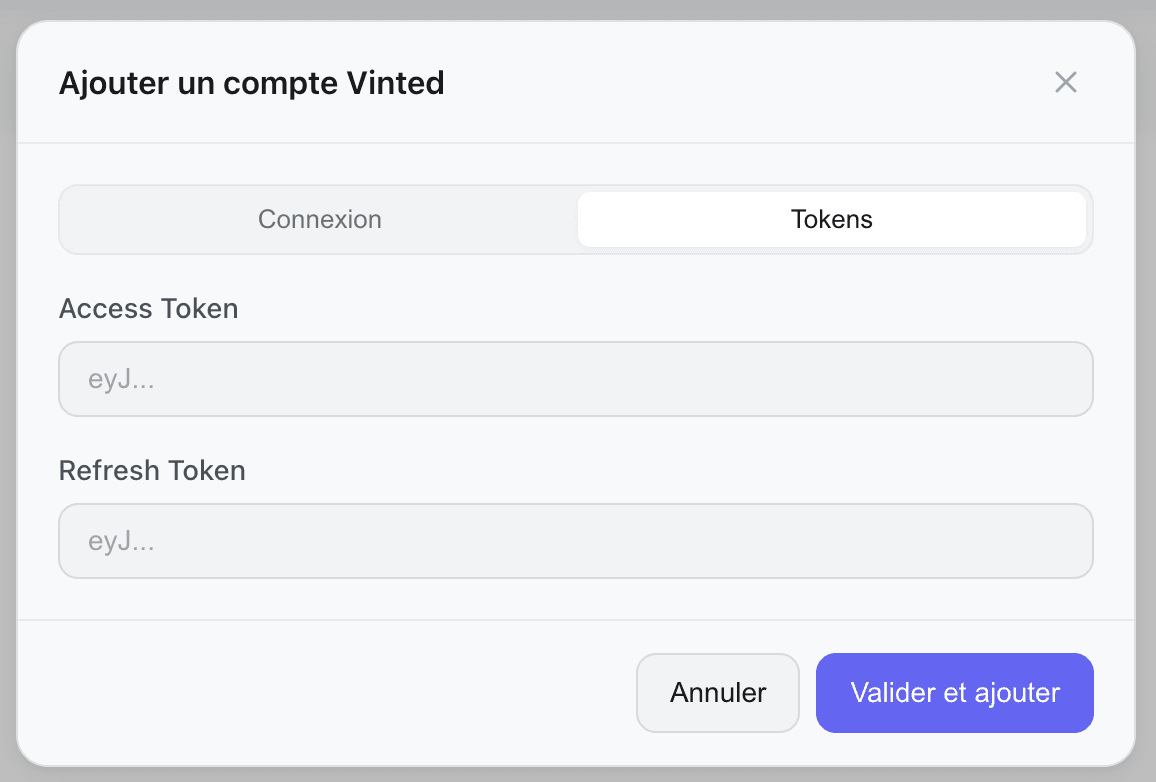
A pop-up opens with two login methods:
The "Login" tab is selected by default.
- Enter your Vinted account email
- Enter the password
- Click on "Log in"
Handling Two-Factor Authentication (2FA)
If your Vinted account has 2FA enabled, an additional step appears:
- A 6-digit code is sent to your email or phone
- Enter the code in the provided field
- Click on "Verify"
Account Statuses
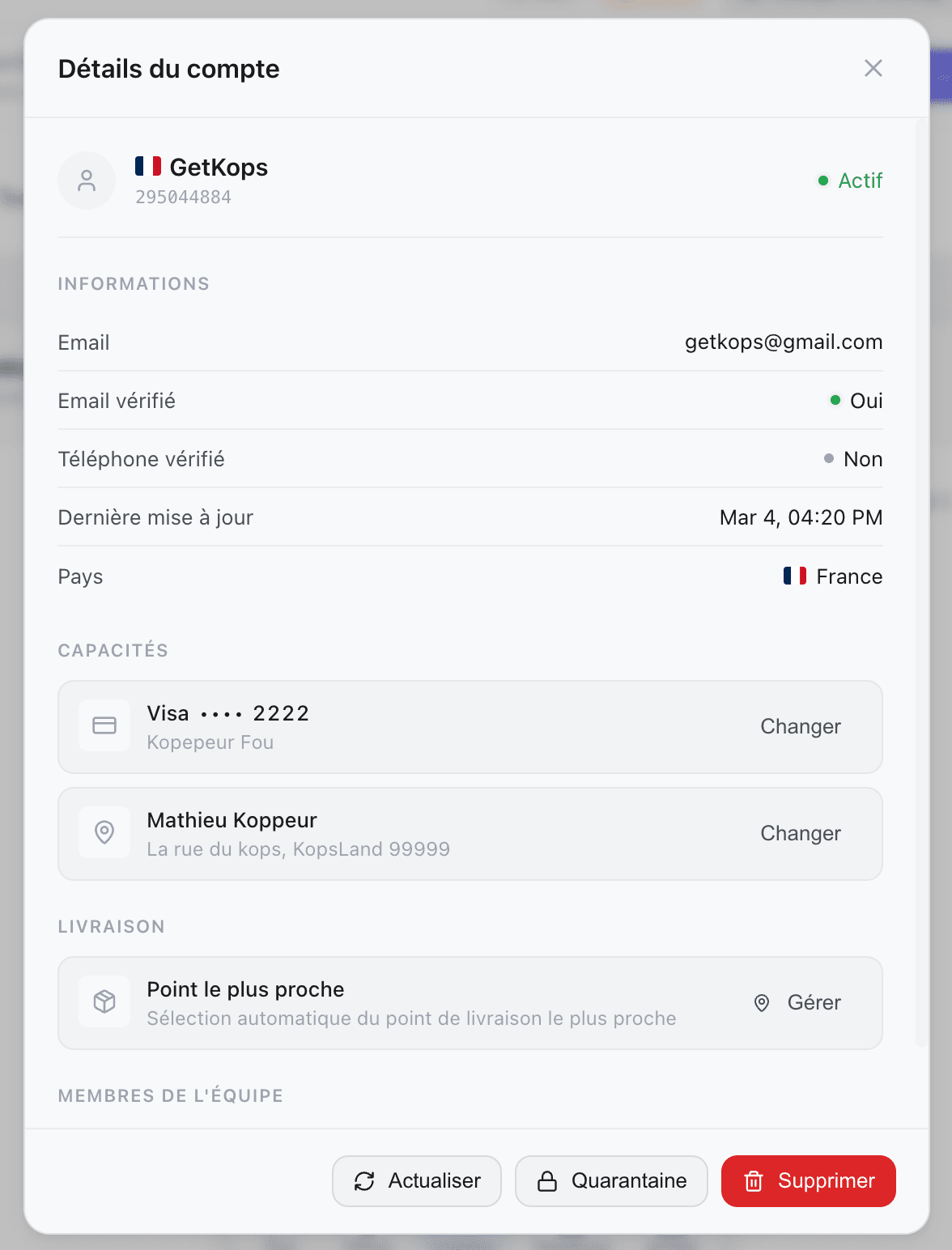
Once added, each account displays a status:
| Status | Meaning |
|---|---|
| active Active | The account is working normally |
| quarantined Quarantined | Temporarily paused — rate limit (1h) or Y01 / fraud detection (24h). Automatically reactivated. |
| inactive Inactive | The account is disabled or disconnected |
Readiness Indicators
Each account displays badges:
- Email verified — the Vinted account is fully verified
- Credit card — a credit card is saved (essential for purchasing)
- Address — a shipping address is provided
A grayed-out badge with a + means the item is missing. Click on it to add it directly.
Account Configuration
From the account list, click the "+ Card" badge on an account.
- Enter the card number, expiration date, and CVV
- Confirm
From the account list, click the "+ Address" badge on an account.
- Enter the name, address, postal code, and city
- Confirm
If an account becomes Inactive, expand its details (click on the row) and use the "Reconnect" option. The pop-up will open in token reconnection mode.
The delete button permanently deletes the account from the dashboard (this does not delete your Vinted account).
A confirmation is requested before deletion.
Subscription Limits
The number of accounts you can connect depends on your plan. If you have reached the limit, an "Upgrade plan" button appears instead of the add button.